
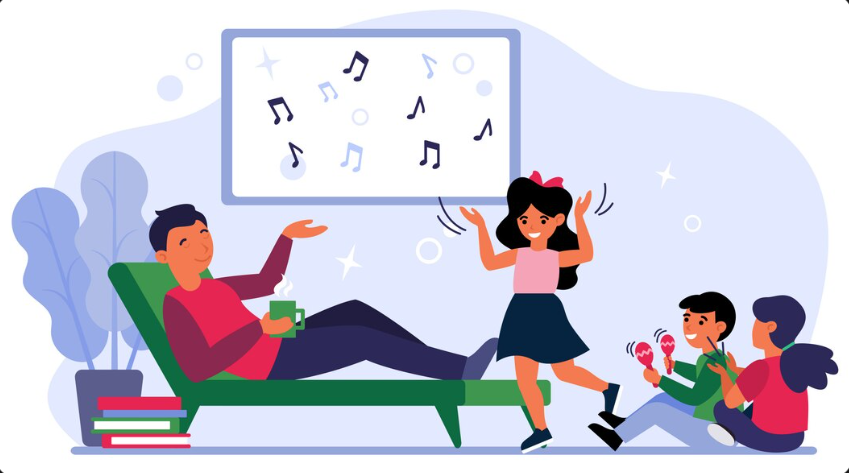
Audio design has always been about immersion—but what happens when players can’t rely on sound in the same way? Accessibility in audio design tackles that question head-on, pushing developers to rethink how information is delivered. The goal isn’t to replace sound, but to ensure that critical gameplay cues, emotional beats, and environmental signals are available to everyone, including players with hearing impairments.
This shift is changing how games are built from the ground up. Instead of treating accessibility as an add-on, studios are designing systems where sound, visuals, and physical feedback work together.
Why Audio Accessibility Needs More Than Just Subtitles
Subtitles are often the first solution that comes to mind, but they only scratch the surface. While they can convey dialogue and some sound effects, they struggle with timing, directionality, and nuance. A subtitle that reads “enemy approaching” doesn’t tell the player where the threat is coming from—or how urgent it is.
Modern accessibility design expands beyond text to include multi-sensory feedback systems. These systems translate audio cues into visual indicators, controller vibrations, or environmental changes that players can interpret instantly.
This broader approach ensures that gameplay remains fair and engaging, rather than watered down or overly simplified.
Visual Cues That Replace—and Enhance—Sound
Visual feedback is one of the most effective ways to bridge the gap between audio and accessibility. When done well, it integrates seamlessly into the game world rather than feeling like an overlay.
Designers are experimenting with techniques such as directional indicators, reactive lighting, and animated UI elements. For example, a subtle pulse of light on the edge of the screen can signal off-screen movement, while color changes can indicate intensity or proximity.
Some common visual strategies include:
- Directional markers that show where a sound originates
- Environmental animations, like ripples or debris movement
- Dynamic UI elements that react to in-game events
- Color-coded alerts for different types of sounds
These systems don’t just help players with hearing impairments—they often improve clarity for all players, especially in fast-paced scenarios.
Haptics and Physical Feedback as a Game-Changer
Haptic feedback has evolved far beyond simple controller rumble. Today’s systems can deliver nuanced vibrations that correspond to specific in-game events. This opens up a powerful channel for conveying information without relying on sound or visuals alone.
For instance, a low, steady vibration might indicate distant danger, while sharp pulses could signal immediate threats. When paired with spatial logic, haptics can even suggest direction, helping players orient themselves in the game world.
This kind of physical feedback adds another layer of immersion. It allows players to “feel” the game, creating a more inclusive and engaging experience.
Building Accessibility into the Audio Pipeline
Accessibility works best when it’s considered early in development—not patched in later. That means audio designers, developers, and UX teams need to collaborate from the start.
Using high-quality sound design libraries can support this process by providing well-organized, metadata-rich assets. These libraries make it easier to categorize sounds by type, intensity, and purpose, which in turn helps map them to visual or haptic equivalents.
It also encourages consistency. When sound assets are clearly defined, it’s simpler to create parallel systems that mirror those cues across different sensory channels.
Balancing Immersion with Clarity
One of the biggest challenges in accessible audio design is maintaining immersion while adding alternative feedback systems. Overloading the screen with icons or excessive vibrations can break the experience just as much as missing audio cues.
The key is subtlety and integration. Accessibility features should feel like a natural extension of the game world, not a separate layer. This often involves user customization, allowing players to adjust the intensity, frequency, or type of feedback they receive.
Flexibility is crucial. What works for one player may not work for another, so giving users control over their experience ensures broader accessibility.
Where Audio Accessibility Is Headed Next
As technology evolves, so do the possibilities for inclusive design. Machine learning, adaptive systems, and personalized settings are beginning to shape how games respond to individual player needs.
We’re also seeing a cultural shift within the industry. Accessibility is no longer viewed as a niche concern—it’s becoming a standard expectation. Studios that prioritize it are not only reaching wider audiences but also creating richer, more thoughtful experiences.
Ultimately, designing for accessibility in audio isn’t about limitations—it’s about expanding how games communicate. By embracing visual cues, haptics, and alternative feedback systems, developers are building worlds that more players can fully experience, regardless of how they hear them.



Leave a Reply